 |
ExtraInk 2.1
이야기 게임을 더 쉽게 만들수 있도록
|
|
ExtraInk 2.1
이야기 게임을 더 쉽게 만들수 있도록
|
텍스트 애니메이션 효과 시스템 More...
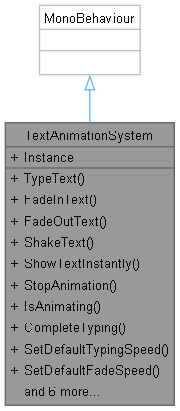
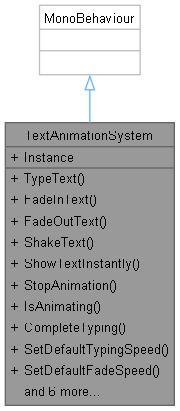
Public Member Functions | |
| void | TypeText (TextMeshProUGUI textComponent, string text, float speed=-1f, Action onComplete=null) |
| 타이핑 효과로 텍스트 표시 | |
| void | FadeInText (TextMeshProUGUI textComponent, string text, float duration=-1f, Action onComplete=null) |
| 페이드 인 효과로 텍스트 표시 | |
| void | FadeOutText (TextMeshProUGUI textComponent, float duration=-1f, Action onComplete=null) |
| 페이드 아웃 효과로 텍스트 숨기기 | |
| void | ShakeText (TextMeshProUGUI textComponent, float intensity=-1f, float duration=-1f, Action onComplete=null) |
| 흔들림 효과 | |
| void | ShowTextInstantly (TextMeshProUGUI textComponent, string text, Action onComplete=null) |
| 즉시 텍스트 표시 (애니메이션 없음) | |
| void | StopAnimation (TextMeshProUGUI textComponent) |
| 애니메이션 중지 | |
| bool | IsAnimating (TextMeshProUGUI textComponent) |
| 애니메이션이 진행 중인지 확인 | |
| void | CompleteTyping (TextMeshProUGUI textComponent) |
| 타이핑 효과 완료 처리 | |
| void | SetDefaultTypingSpeed (float speed) |
| void | SetDefaultFadeSpeed (float speed) |
| void | SetDefaultShakeIntensity (float intensity) |
| void | SetDefaultShakeDuration (float duration) |
| void | TypeTextEn (TextMeshProUGUI textComponent, string text, float speed=-1f, Action onComplete=null) |
| void | FadeInTextEn (TextMeshProUGUI textComponent, string text, float duration=-1f, Action onComplete=null) |
| void | FadeOutTextEn (TextMeshProUGUI textComponent, float duration=-1f, Action onComplete=null) |
| void | ShakeTextEn (TextMeshProUGUI textComponent, float intensity=-1f, float duration=-1f, Action onComplete=null) |
Properties | |
| static TextAnimationSystem | Instance [get] |
텍스트 애니메이션 효과 시스템
| void TextAnimationSystem.CompleteTyping | ( | TextMeshProUGUI | textComponent | ) |
타이핑 효과 완료 처리
| void TextAnimationSystem.FadeInText | ( | TextMeshProUGUI | textComponent, |
| string | text, | ||
| float | duration = -1f, | ||
| Action | onComplete = null ) |
페이드 인 효과로 텍스트 표시

| void TextAnimationSystem.FadeOutText | ( | TextMeshProUGUI | textComponent, |
| float | duration = -1f, | ||
| Action | onComplete = null ) |
페이드 아웃 효과로 텍스트 숨기기

| bool TextAnimationSystem.IsAnimating | ( | TextMeshProUGUI | textComponent | ) |
애니메이션이 진행 중인지 확인
| void TextAnimationSystem.ShakeText | ( | TextMeshProUGUI | textComponent, |
| float | intensity = -1f, | ||
| float | duration = -1f, | ||
| Action | onComplete = null ) |
흔들림 효과
| void TextAnimationSystem.ShowTextInstantly | ( | TextMeshProUGUI | textComponent, |
| string | text, | ||
| Action | onComplete = null ) |
즉시 텍스트 표시 (애니메이션 없음)

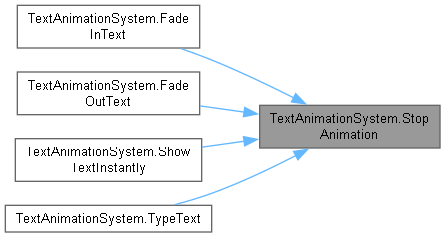
| void TextAnimationSystem.StopAnimation | ( | TextMeshProUGUI | textComponent | ) |
애니메이션 중지
| void TextAnimationSystem.TypeText | ( | TextMeshProUGUI | textComponent, |
| string | text, | ||
| float | speed = -1f, | ||
| Action | onComplete = null ) |
타이핑 효과로 텍스트 표시

 1.14.0